Minecraft Game Integrations Guide
TIKTORY allows TikTok events to trigger actions in Minecraft.
How It Works
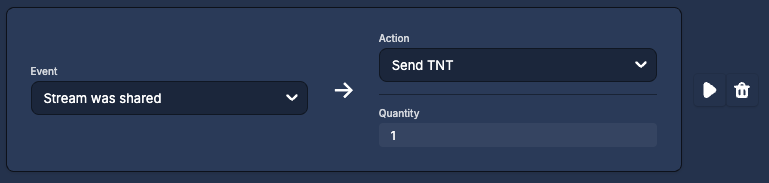
Trigger (TikTok event) → Action (Minecraft effect)
Example Triggers
- Gift received
- New follower
- Stream shared
- Like milestone
Example Actions
- Spawn blocks or mobs
- Give players items
- Trigger minigame events
Creating a Rule
- Open Game Integrations in TIKTORY (can be found in the sidebar navigation)
- Create a game integration for Minecraft or a Minecraft minigame
- Click “Add Action”
- Select a TikTok trigger
- Select a Minecraft action
- Save the integration
ℹ️ You can test your integration using the Test Center at the bottom of the screen. This allows you to trigger synthetic TikTok events, just like they would come in when you’re live on TikTok.
Was this article helpful?